![Logo-2.svg]](https://support.pointapp.org/hubfs/Logo-2.svg)
Where to find them
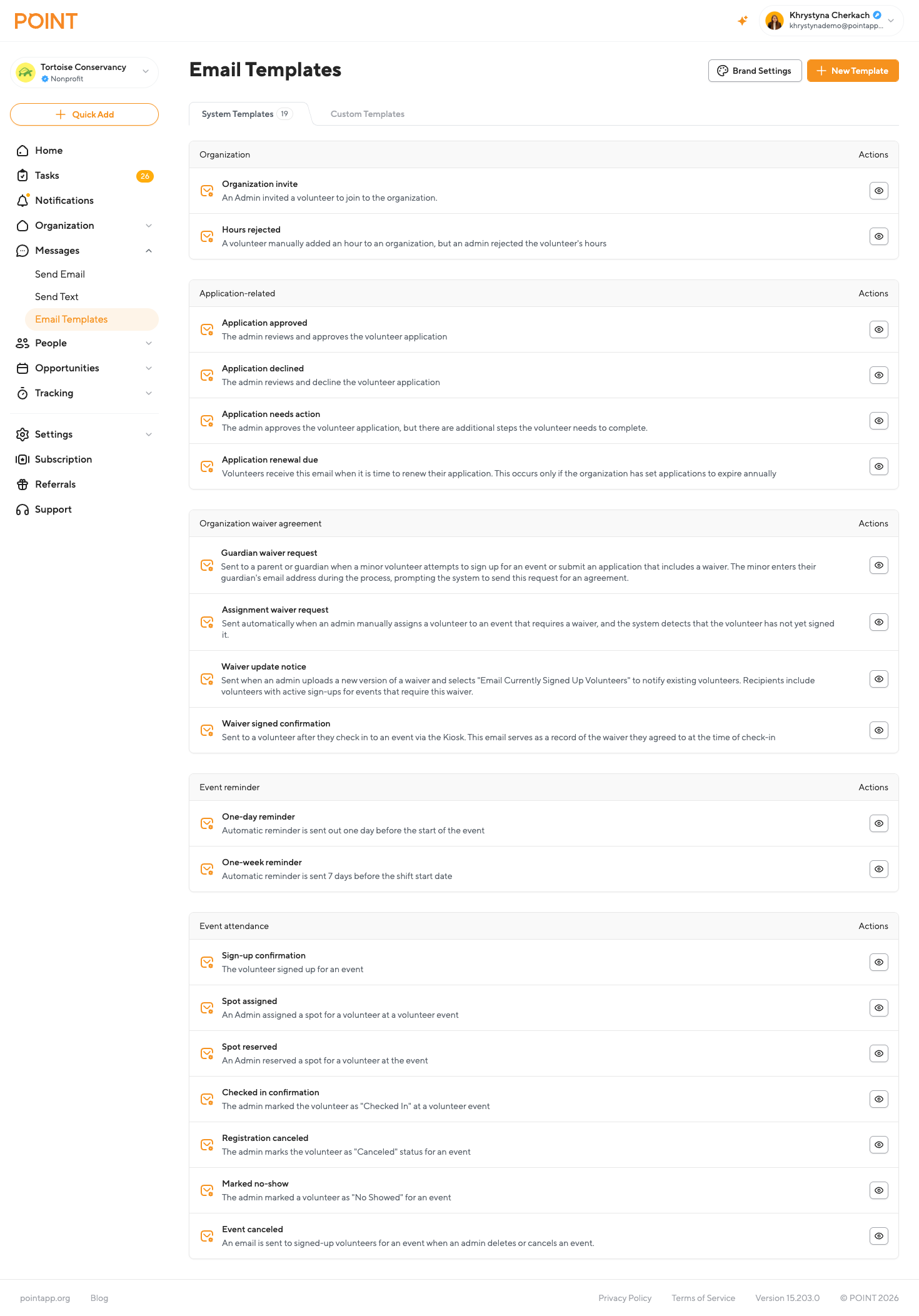
- Go to Messages → Email Templates.
- Click the System Templates tab.
You'll see system emails grouped by category, for example:
- Organization: Organization invite, Hours rejected
- Application-related: Application approved, Application declined, Application needs action, Application renewal due
- Organization waiver agreement: Guardian waiver request, Assignment waiver request, Waiver update notice, Waiver signed confirmation
- Event reminder: One-day reminder, One-week reminder
- Event attendance: Sign-up confirmation, Spot assigned, Spot reserved, Checked in confirmation, Registration canceled, Marked no-show, Event canceled
Previewing a template
Click the eye icon next to any template to see exactly how it will look when sent, including the branding that will be applied.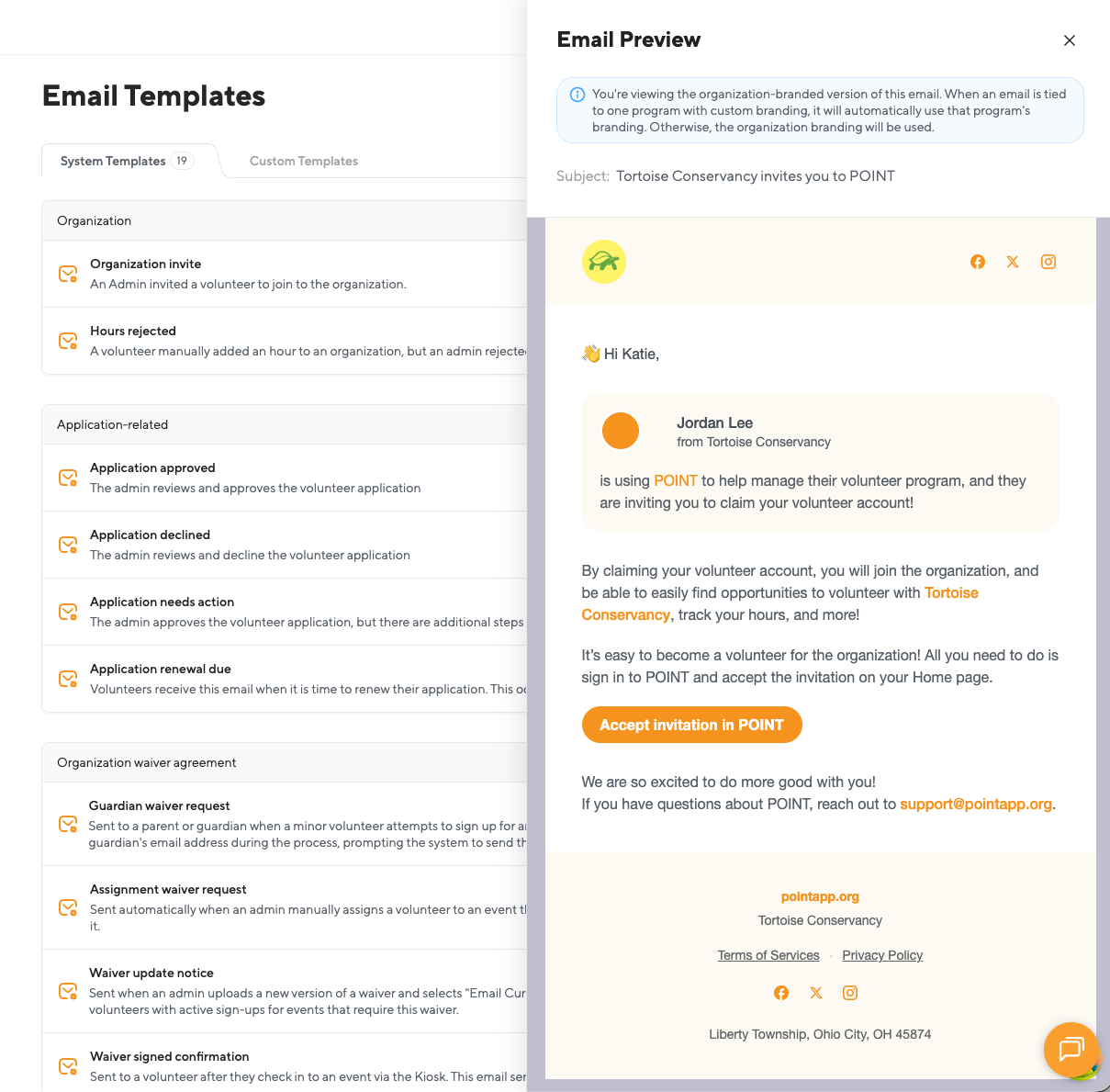
How branding is applied
When you preview a System Template, POINT shows you a note explaining which branding will be used:
"You're viewing the organization-branded version of this email. When an email is tied to one program with custom branding, it will automatically use that program's branding. Otherwise, the organization branding will be used."
In practice, this means:
- If the email relates to an Event or Application tied to a specific program, and that program has its own branding (Teams plan only), the email uses the program's branding.
- If the program doesn't have its own branding, or the email isn't tied to a specific program, the email uses your Organization Branding.
- If no branding has been configured at all, the email uses the default POINT look.
This logic applies automatically. You don't need to select branding for System Templates the way you do for Custom Templates. POINT figures it out based on what the email is about and who it's for.
Learn more
- Brand Settings Overview: How Branding Works in POINT
- How to Create Program-Specific Branding
- For the full list of system emails POINT sends and when, see Which emails auto-send to volunteers?